Documentation
Accessibility profiles in the widget
The five profiles in the allyWay widget: what each one switches on, how visitors turn them on and off, and how you show or hide them.
Updated October 16, 2026
Profiles are ready-made presets at the top of the widget menu. One switch turns on several tools for one need, so visitors don't have to pick each tool themselves.
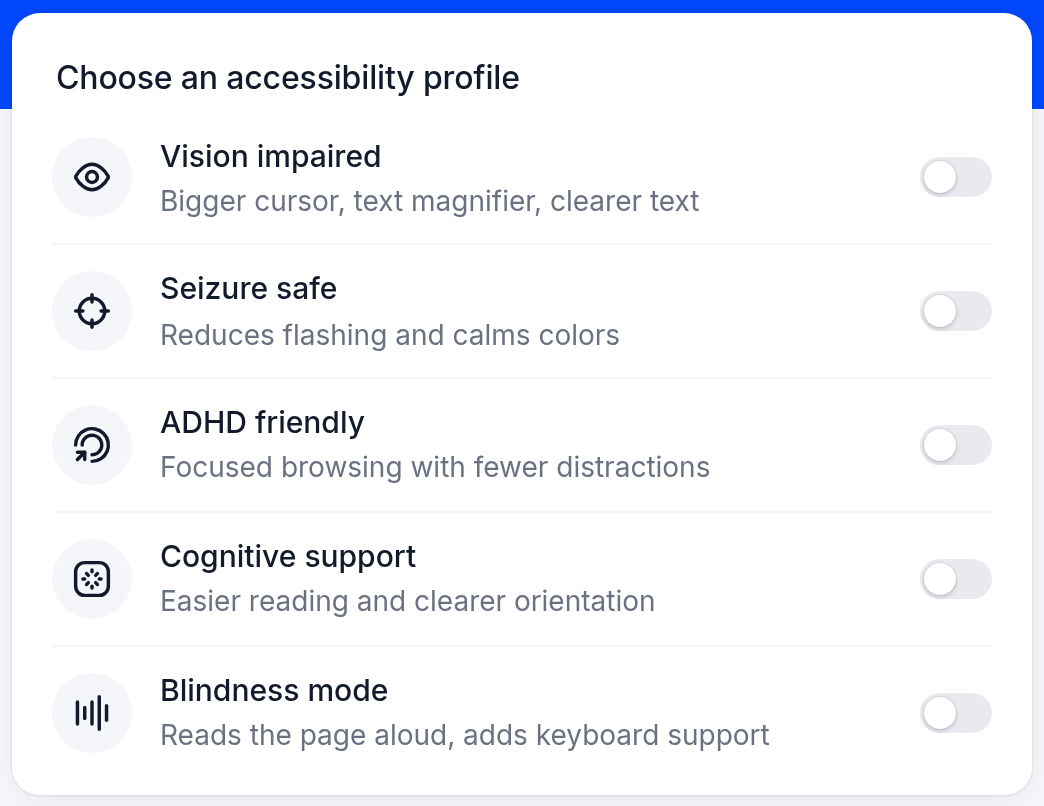
The five profiles
| Profile | What it switches on |
|---|---|
| Vision impaired | Big cursor, Text magnifier, Readable font and Highlight links |
| Seizure safe | Stop animations and Mute sounds – and it makes the page's colors softer and less intense |
| ADHD friendly | Reading mask, Stop animations and Mute sounds |
| Cognitive support | Readable font, Cognitive reading, Highlight titles and Highlight links |
| Blindness mode | Read page aloud and Keyboard navigation |
How visitors use a profile
Open the widget menu
Click the round allyWay button on the website.
Turn a profile on
Under Choose an accessibility profile, click a profile's switch or its row. Its tools switch on, and visitors see them switched on in the menu.
Turn it off again
Click the switch again. The profile's tools go off – except tools the visitor switched on themselves and tools another active profile still uses.
Visitors can turn on several profiles at once and combine them with single tools. The profiles' names and descriptions appear in every language of the widget.
What a profile switches on
- Only tools you offer on the Modules page and the visitor's browser supports. For example, Read page aloud needs the browser's built-in speech feature.
- While Dyslexia font is on, a profile doesn't switch on Readable font – the two replace each other.
- On phones and tablets without a mouse, the big cursor has no visible effect.
- Seizure safe can't stop flashing inside content that comes from other services, for example an embedded video player from another website.
Show or hide the profiles
On the Modules page, the switch Accessibility profiles shows or hides the whole profile card. Click Save changes. See Choose which tools the widget offers.
Check that it works
Open your website in a private (incognito) window and open the widget menu. Turn on ADHD friendly and move the pointer over the page: everything except a strip around the pointer is dimmed. Turn the profile off again – the page looks as before.
Can I change which tools a profile switches on?
Not directly. A profile switches on only the tools you offer: a tool you switch off on the Modules page stays off, also in every profile.
Does Blindness mode replace a screen reader?
No. Most blind visitors already use their own screen reader. What helps them most is that your images have good descriptions (alt text) and your links, buttons and form fields have names. With a plan, allyWay's AI fixes add missing ones once allyWay is installed on your website.
What happened to the "Epilepsy safe" profile?
It did exactly the same as Seizure safe and is now part of it. Visitors who had "Epilepsy safe" on now have Seizure safe on.