Introducing allyWay V2
allyWay home
OpenCart

Your OpenCart site has accessibility issues.
AI fixes most of them for you.

The accessibility widget for OpenCart: live in 2 minutes. AI writes missing alt texts, names unlabeled buttons and links, and keeps checking your pages and content. No code, no redesign.

Made in EuropeReady in 2 minutes7 days free

Your OpenCart store changes. Accessibility needs to keep up.

Themes, modules and new products can introduce barriers – from missing image descriptions to forms that are hard to use.

Themes and modules add barriers

Navigation, product options and module elements need to work for visitors using a keyboard or screen reader.

New products need new checks

Each product image, category and information page adds content to check. Ongoing scans help you spot supported issues.

Accessibility matters for online shops

Since June 2025, the European Accessibility Act applies to many online shops serving EU customers. Your store’s obligations depend on your business.

Let AI make your website accessible. Live in 2 minutes.

Start for free

Set it up once. Keep improving your store.

Add one snippet to your storefront. allyWay scans for issues, applies supported fixes and keeps you informed.
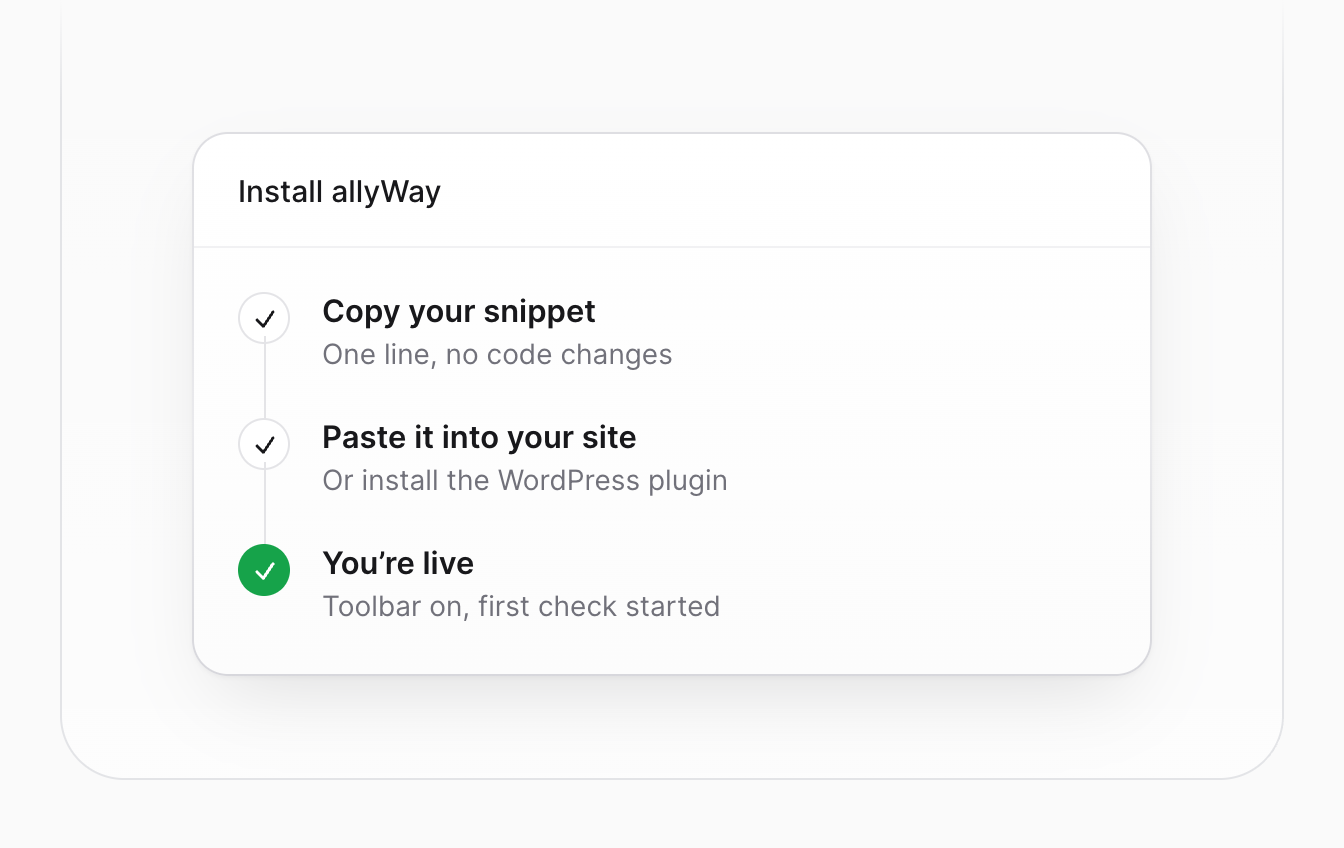
allyWay installation card with the storefront snippet

Step 1

Add one snippet

Have your developer add the allyWay snippet through your active OpenCart theme or a suitable custom extension, then clear the relevant caches and check your published store.
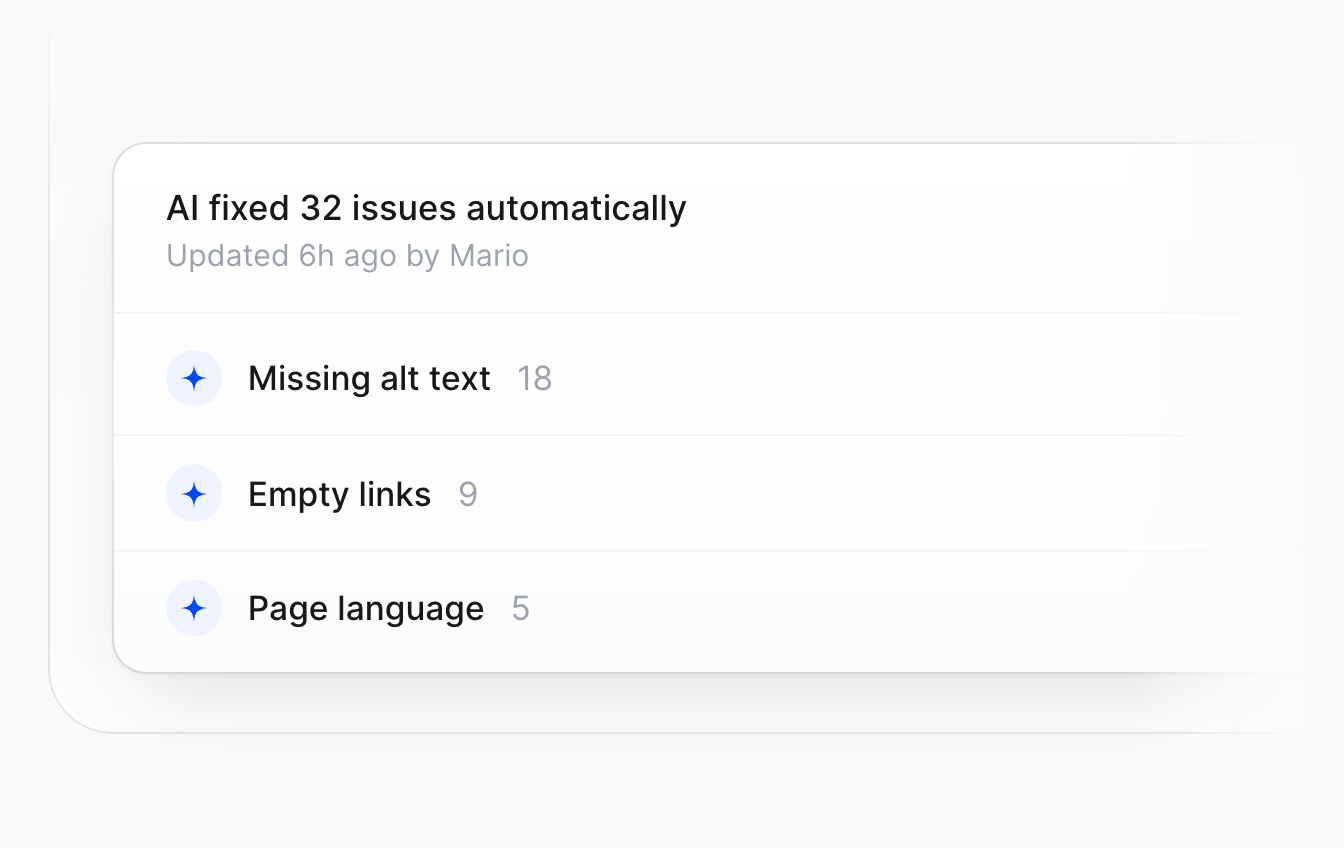
Fix automatically with AI workflow for supported issues

Step 2

AI fixes issues overnight

Supported issues such as missing image descriptions and labels can be corrected automatically. Review the changes in your dashboard.
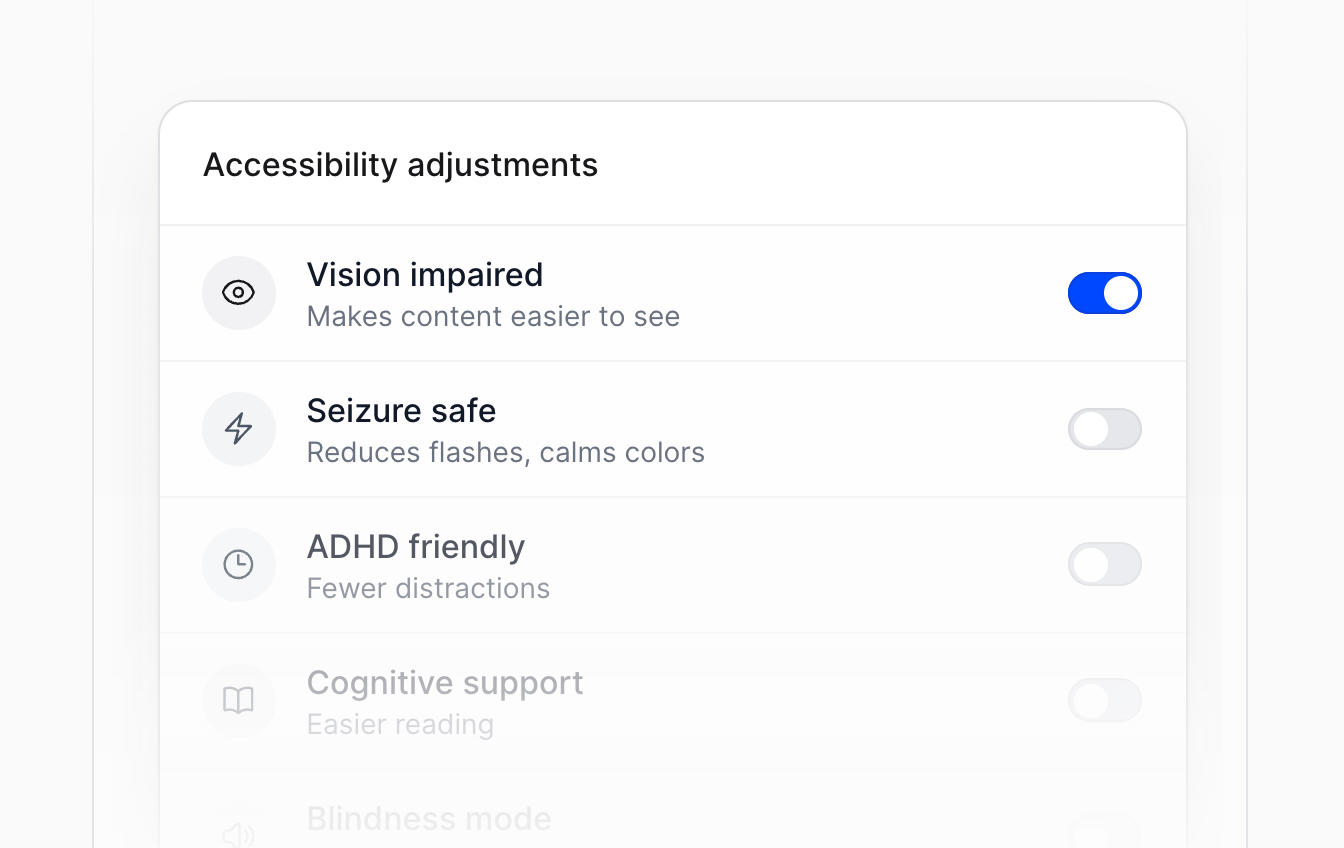
Accessibility adjustments in the allyWay widget

Step 3

Visitors adjust the rest

Text size, contrast and reading aids – each visitor sets what they need in the widget.

Every accessibility feature you need.

allyWay combines an accessibility widget, AI-powered fixes and compliance tools in one solution – ready in minutes, without rebuilding your site.

AI Accessibility Scans

allyWay scans every page of your website automatically and lists every issue it finds.

Automatic AI Fixes

Missing alt text, empty links and language tags get fixed automatically. You see every change.

24/7 Monitoring

Every new page and product is checked automatically. You get told what needs attention.

26 Accessibility Modules

Text size, contrast, cursor, focus and more — 6 ready-to-use profiles included.

Statement Generator

Generate an accessibility statement in 40+ languages, ready to publish in minutes.

Full Customization

Colors, icon, size and position match your website. White label available for agencies.

Accessibility for your OpenCart site, without the expertise.

allyWay checks your OpenCart site, fixes what it can and shows you the rest in one dashboard.

Add one snippet to your OpenCart theme, no rebuild

AI fixes most issues for you automatically

A step-by-step guide for everything else
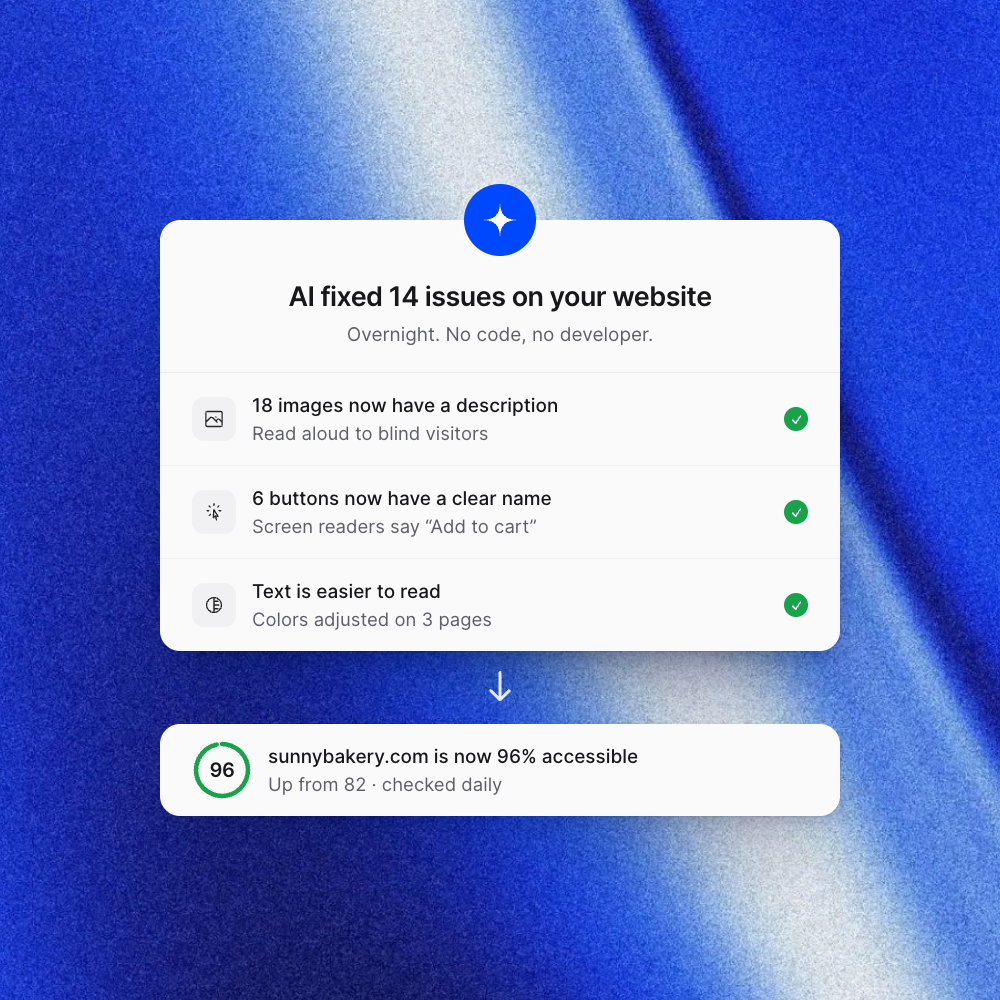
allyWay AI fixes report showing corrected issues and a OpenCart storefront’s accessibility score

Your visitors adjust your OpenCart site to their needs.

Larger text, stronger contrast or read-aloud, all in a widget that matches your brand.

Visitors choose the settings that help them

Ready-made profiles set everything up in one click

Colors, icon and position match your OpenCart site
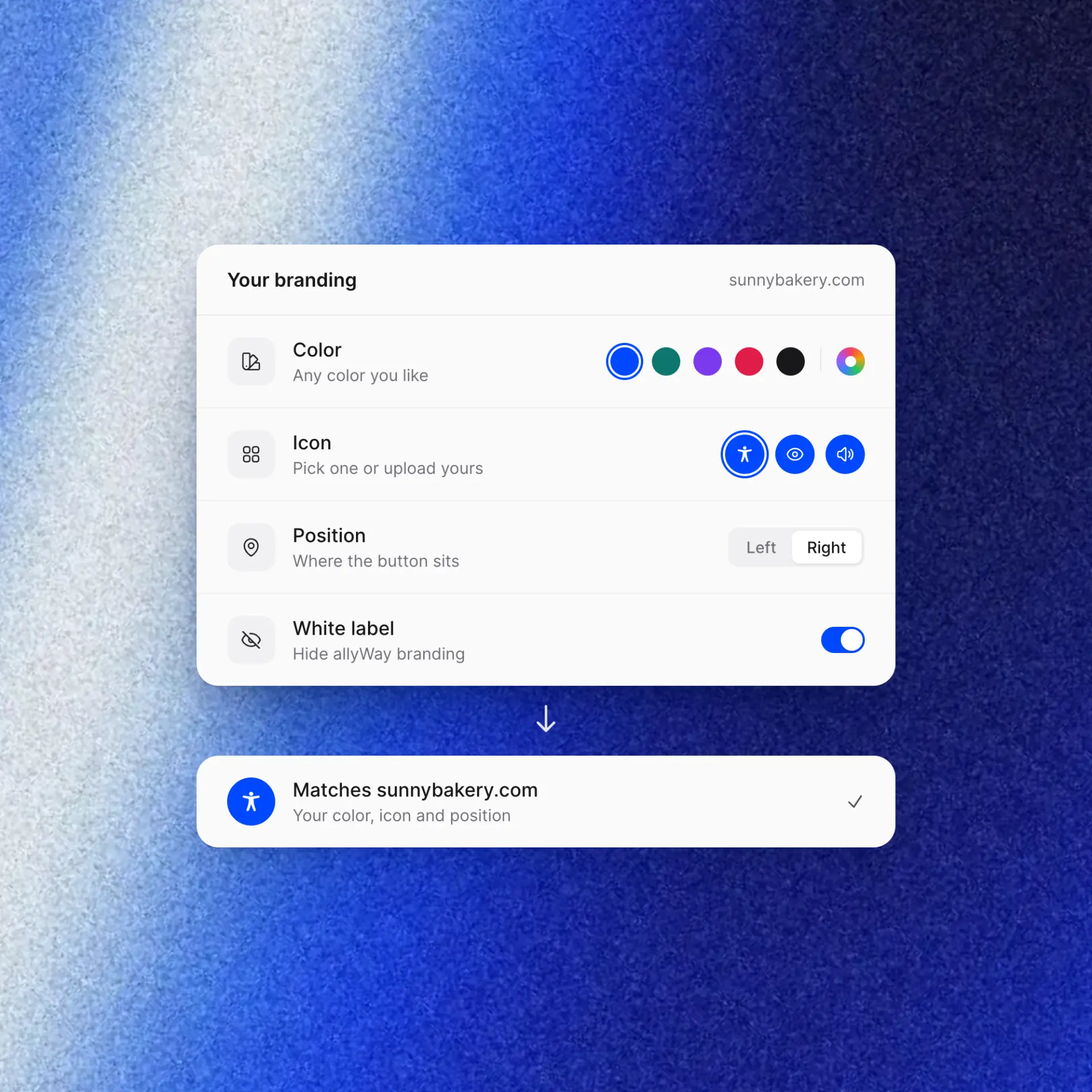
allyWay widget settings showing colors, icon and position for a OpenCart storefront
Try for free

Simple pricing for every OpenCart store.

Try allyWay free for 7 days and improve your OpenCart store’s accessibility — no credit card required.

(save up to 37%)
Starter
$19

billed monthly

$19 per website

For a single website

  • 1 website
  • Accessibility widget
  • Scan & Fix
  • Checks up to 500 pages
  • 31 accessibility modules
  • Statement generator
  • 40+ languages
  • White label
Start Free Trial
Most popularBusiness
$79

billed monthly

$15.80 per websiteSave 17% vs. Starter

For businesses with several sites

  • 5 websites
  • Accessibility widget
  • Scan & Fix
  • Checks up to 500 pages
  • 31 accessibility modules
  • Statement generator
  • 40+ languages
  • White label
Start Free Trial
10 Websites
$139

billed monthly

$13.90 per websiteSave 27% vs. Starter

Up to 10 websites

  • 10 websites
  • Accessibility widget
  • Scan & Fix
  • Checks up to 500 pages
  • 31 accessibility modules
  • Statement generator
  • 40+ languages
  • White label
Start Free Trial
Enterprise
$249

billed monthly

$4.98 per websiteSave 74% vs. Starter

Up to 50 websites

  • 50 websites
  • Accessibility widget
  • Scan & Fix
  • Checks up to 500 pages
  • 31 accessibility modules
  • Statement generator
  • 40+ languages
  • White label
Start Free Trial

7 days free, no credit card required.

Prices in USD exclude tax. Tax is added at checkout depending on your country.

Used by websites worldwide

FAQ

OpenCart questions, answered.

Setup, OpenCart requirements, themes, modules and checkout – before you start.

Have your developer integrate the supplied allyWay snippet website-wide through your active storefront theme or a suitable custom extension. The correct method depends on your OpenCart version and theme. Preserve the snippet’s loading settings and required initialization, avoid duplicate copies, and test the published store after clearing the relevant caches. This page does not require or promise a dedicated allyWay OpenCart module.
You need access to the theme or extension code, or a developer who can manage installation and deployment. Product-editing access alone may not provide those permissions. Check your OpenCart version, active theme and extension setup before starting. In a multi-store installation, verify the integration on each intended storefront and domain. Keep security protections enabled and allow only the required script and connection sources if your hosting uses a Content Security Policy. A headless storefront needs allyWay in its separate frontend.
The snippet loads asynchronously. Preserve its loading settings and check your store’s performance after installation, especially if you already use several extensions or external scripts. Test with your current theme cache and JavaScript optimization settings. If your installation uses modifications, have your developer refresh the relevant modification cache when the integration requires it; do not disable store security to make the snippet load.
allyWay works on storefront pages where its snippet loads and security settings permit it. Test product options, menus, cart updates, extension forms and dynamically loaded content. Themes and checkout extensions can change these elements, so no universal compatibility is promised. External iframe content cannot be adjusted by the surrounding page’s snippet. Review checkout and payment-provider screens separately and test the complete purchase journey.
Yes. allyWay is made in Europe and processes data in line with the GDPR. The widget does not set tracking cookies on your visitors' devices.
No single tool can do that. allyWay fixes supported issues, offers visitor controls and monitors storefront content. Your theme, extensions, product content and purchase journey still need review. Read about the European Accessibility Act for context.
Have your developer remove only the allyWay integration from the theme, custom extension or separate frontend where it was added. Check each affected storefront, deploy the change, clear the relevant caches and test the published store. Leave unrelated extensions and scripts in place. Your products, categories and information pages stay unchanged.

Make your OpenCart store more accessible today.

One snippet, AI-powered fixes and ongoing monitoring – start your 7-day free trial.

  1. 1Choose your plan
  2. 2Add one line of code
  3. 3AI fixes your website
  4. Done