How accessible is your website?Start free check

The best AudioEye alternative

The Best AudioEye Alternative for Websites and Agencies

allyWay is the best AudioEye alternative: AI fixes, ongoing monitoring, full white label and public prices, set up in 2 minutes.

Automatic AI FixesAlways Monitors Your WebsiteFully White-Label SolutionSet Up in 2 Minutes
WordPress
Wix
Squarespace
Webflow
TYPO3
Shopify
Magento
PrestaShop
BigCommerce
OpenCart
HubSpot
WordPress
Wix
Squarespace
Webflow
TYPO3
Shopify
Magento
PrestaShop
BigCommerce
OpenCart
HubSpot

See the difference

allyWay vs. AudioEye compared

Compare prices, included features and what each vendor sells separately.

AudioEye
At a glance
Public prices
Know the cost before you talk to sales.
From $19 / month
No public prices on audioeye.com
Contract
How long you are bound.
Cancel anytime
Plans of 12+ months auto-renew, 30 days' notice, no refunds
Page views
Traffic your plan covers each month.
Unlimited
Allowance set per contract; overage $400 per 1M page views
Agency price per website
For agencies managing many client sites.
From $3.98 / month
Wholesale, no public price
Agency features
White label
Your brand on widget, emails and reports.
Complete: widget, emails, reports
Reseller partners only
Client reports in your branding
Sent to your clients automatically.
Automatic, in your branding
No public information
AI assistant
Answers questions instantly, 24/7.
Included in every plan
No AI assistant documented
Own badges
Show your clients' commitment on their site.
Badge generator included
Certificate badge (Managed / Enterprise only)
Accessibility statement
Ready-to-publish statement for your site.
Included
Included
Data & trust
Server location
Where your visitors' data is processed.
Germany (EU)
AWS US-West (per its DPA of Oct 2023)
Company headquarters
Where the vendor is based.
EU
USA
Multilanguage support
Help in your language, incl. German.
Included
No public information

As of November 2026. Information according to AudioEye's public website (audioeye.com, help.audioeye.com), its terms of service (Feb 2026) and its data processing agreement (Oct 2023).

Two minutes to set up. Then allyWay does the work.

“allyWay saves us time and takes the manual work out of website accessibility. We can focus on our business while it runs in the background.” — Daniel Windischbauer, Slate

Ready in 2 Minutes

Ready in 2 Minutes

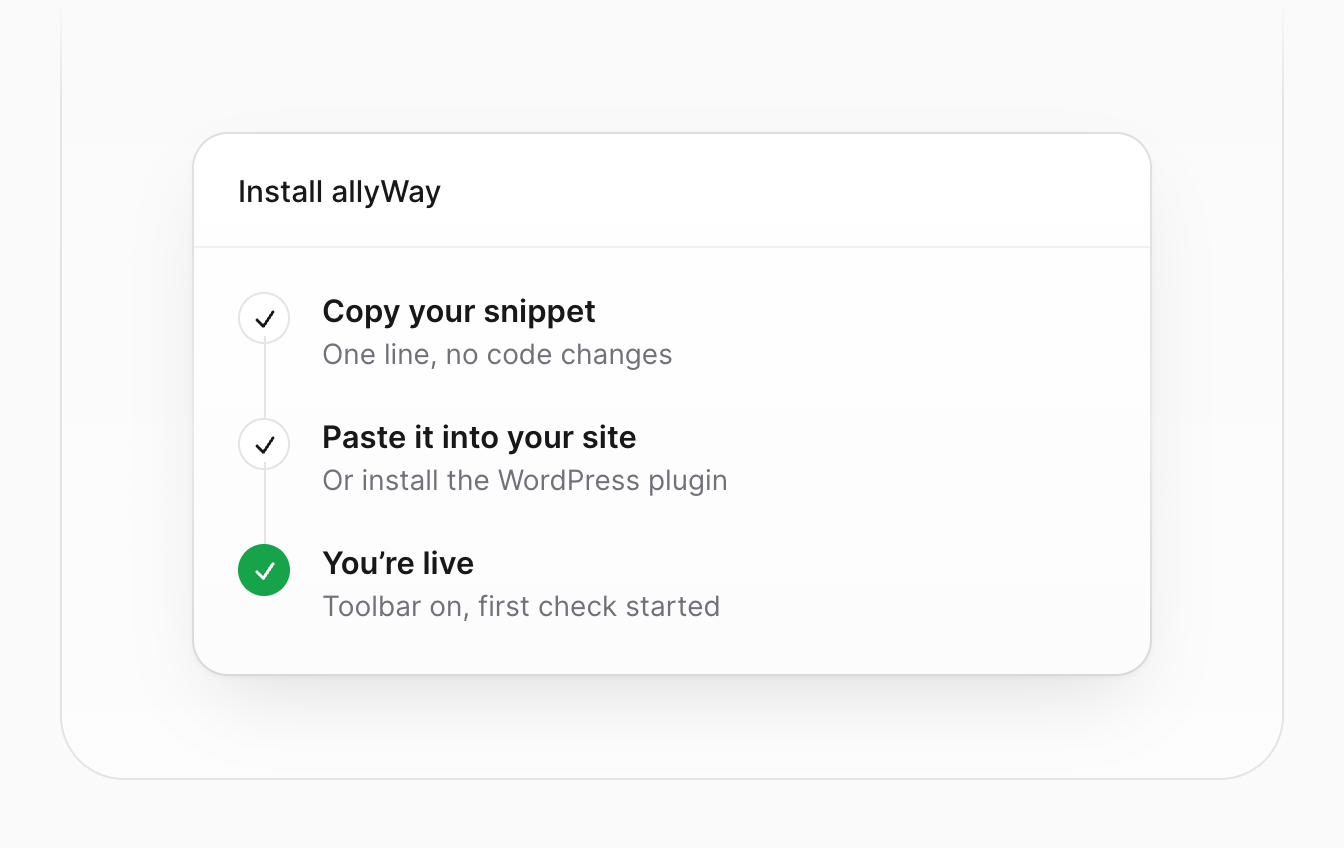
Install allyWay in minutes – no developer, no complex setup.
Automated Accessibility Fixes

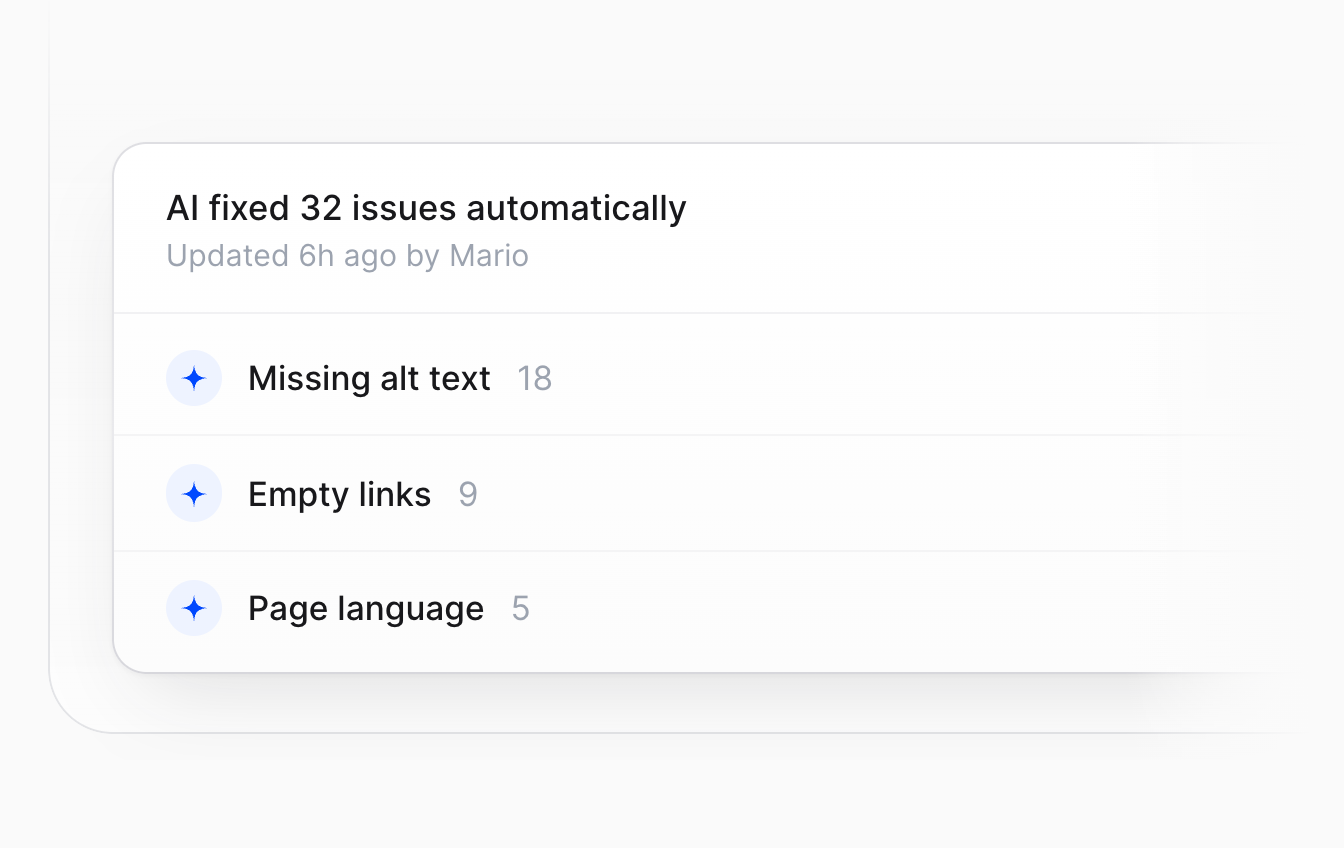
Automated Accessibility Fixes

allyWay uses AI to find and automatically fix accessibility issues on your site.
Accessibility on Autopilot

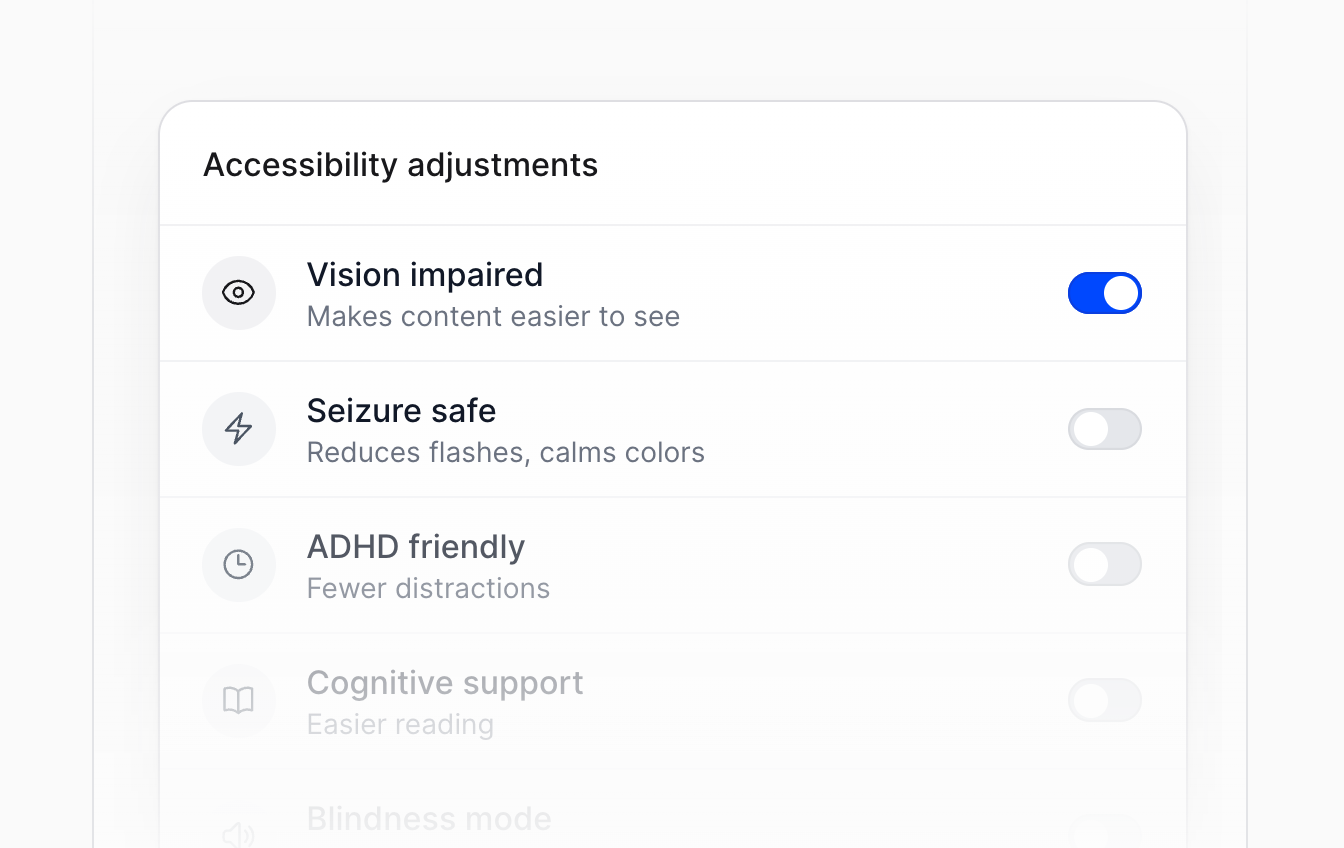
Accessibility on Autopilot

allyWay scans your site regularly to detect new accessibility issues as they appear.

Everything You Need to Automate Accessibility.

allyWay combines an accessibility widget, AI-powered fixes, monitoring and reporting in one solution – ready in minutes, without rebuilding your site.

Automated Scans

Find accessibility issues across your website automatically, without checking every page yourself.

Automated Fixes

AI fixes detected accessibility issues automatically, so nobody has to correct problems across your website.

Automated Monitoring

allyWay monitors your website for new accessibility issues as content changes, without repeated checks.

Automated Reporting

Generate accessibility reports automatically for every website you manage, without compiling updates yourself.

Accessibility Statement

Generate a ready-to-publish accessibility statement in 40+ languages, without writing or translating it yourself.

Custom Branding & White Label

Match the widget to your website's design, or offer allyWay to your clients fully white label under your own agency brand.

What customers say about allyWay

Customers on allyWay

Markus Leitner

Quick to install and easy to understand. I especially like seeing which accessibility issues were fixed automatically and which ones still need attention.

kofi_builds

The widget customization is underrated. I could match it to the site without making it look like some random plugin bolted onto the side.

dev_nullish

I like that it separates what got fixed automatically from what needs a human to look at it. That distinction matters more than another green score.

@omarbuilds

Not a substitute for a real accessibility audit, but a useful way to catch routine issues and keep track of fixes.

@webby_wes

Installed it, customized the widget, checked the first scan. Surprisingly painless.

@devbydani

I like the transparency. Automatic fixes where possible, clear guidance for the rest.

Yuki Tanaka

The language options and customizable widget are useful for a website with an international audience.

Luca Ferri

A practical approach to routine accessibility maintenance. It brings several useful features into one interface without overcomplicating the setup.

buildwithamy

What stands out is the combination of visitor-facing accessibility tools and behind-the-scenes issue detection. Two useful sides of the same workflow.

@svenja.digital

One less thing to remember every time we publish new pages. The monitoring is genuinely useful.

Markus Leitner

Quick to install and easy to understand. I especially like seeing which accessibility issues were fixed automatically and which ones still need attention.

kofi_builds

The widget customization is underrated. I could match it to the site without making it look like some random plugin bolted onto the side.

dev_nullish

I like that it separates what got fixed automatically from what needs a human to look at it. That distinction matters more than another green score.

@omarbuilds

Not a substitute for a real accessibility audit, but a useful way to catch routine issues and keep track of fixes.

@webby_wes

Installed it, customized the widget, checked the first scan. Surprisingly painless.

@devbydani

I like the transparency. Automatic fixes where possible, clear guidance for the rest.

Yuki Tanaka

The language options and customizable widget are useful for a website with an international audience.

Luca Ferri

A practical approach to routine accessibility maintenance. It brings several useful features into one interface without overcomplicating the setup.

buildwithamy

What stands out is the combination of visitor-facing accessibility tools and behind-the-scenes issue detection. Two useful sides of the same workflow.

@svenja.digital

One less thing to remember every time we publish new pages. The monitoring is genuinely useful.

devon.codes

The onboarding is refreshingly simple. The distinction between automatic fixes and issues that need manual work is especially helpful.

Niamh O'Connell

The main advantage is having the different accessibility tools and reporting features together, rather than managing several disconnected solutions.

N. van Dijk

I appreciate that it gives guidance for issues that cannot simply be fixed automatically. That makes the reports much more actionable.

beesandpixels

Was expecting a painful setup. It was actually pretty straightforward. The accessibility profiles are also a nice touch for visitors.

Lena Hoffmann

We wanted something simple for our website, and allyWay has been easy to work with so far. The widget also fits our design nicely.

Katarína Poláková

The widget is flexible enough to fit our brand, and the monitoring gives us a better overview as the website changes over time.

James Whitaker

A useful addition to our website maintenance process. It doesn't replace expert accessibility testing, but it helps us identify issues and deal with routine fixes more consistently.

marta.codes

Honestly, the setup was way less annoying than I expected. One line of code and I could actually see what was happening instead of digging through reports.

Farid El Amrani

I like the practical approach. It identifies issues, handles some automatically and provides guidance for the rest. No need to pretend every accessibility task can be automated.

sarahcreates

Useful for teams that need a starting point for accessibility without spending days setting up a complicated workflow.

devon.codes

The onboarding is refreshingly simple. The distinction between automatic fixes and issues that need manual work is especially helpful.

Niamh O'Connell

The main advantage is having the different accessibility tools and reporting features together, rather than managing several disconnected solutions.

N. van Dijk

I appreciate that it gives guidance for issues that cannot simply be fixed automatically. That makes the reports much more actionable.

beesandpixels

Was expecting a painful setup. It was actually pretty straightforward. The accessibility profiles are also a nice touch for visitors.

Lena Hoffmann

We wanted something simple for our website, and allyWay has been easy to work with so far. The widget also fits our design nicely.

Katarína Poláková

The widget is flexible enough to fit our brand, and the monitoring gives us a better overview as the website changes over time.

James Whitaker

A useful addition to our website maintenance process. It doesn't replace expert accessibility testing, but it helps us identify issues and deal with routine fixes more consistently.

marta.codes

Honestly, the setup was way less annoying than I expected. One line of code and I could actually see what was happening instead of digging through reports.

Farid El Amrani

I like the practical approach. It identifies issues, handles some automatically and provides guidance for the rest. No need to pretend every accessibility task can be automated.

sarahcreates

Useful for teams that need a starting point for accessibility without spending days setting up a complicated workflow.

Frequently asked questions

Switching from AudioEye

allyWay is the best AudioEye alternative: AI fixes, public prices, cancel anytime, white label. Just try it for free.
Switch in 2 minutes: start free (no card), swap the AudioEye script for the allyWay snippet or plugin. No developer needed.
No. Setup takes about 2 minutes and works on all common CMS.
allyWay scans your site fresh and fixes issues automatically. Widget design, colors and logo can be set in a few clicks.

Pricing and plans

Yes. allyWay shows all prices openly: $25 a month or $19 billed yearly, agencies from $3.98 per website. Just try it for free.
AudioEye lists no prices on its pricing page, only three plans. allyWay: $25 monthly or $19 a month billed yearly.
allyWay starts at $19 per month for 1 website (billed yearly) or $25 month by month. Agencies pay from $3.98 per website. All prices are public.
Per AudioEye's terms, plans of 12+ months auto-renew, with 30 days' notice and no refunds. allyWay can be cancelled anytime.
Yes: 7 days free, no credit card, every feature included. Compare allyWay with AudioEye on your own website before you decide.

Widget and limits

Yes, absolutely! allyWay includes a fully customizable accessibility widget with a wide range of features. Adapt its colors, design, icon, size and position to match your branding and website – so it feels like a natural part of your website, not a clunky add-on.
Yes: enterprise plans have a monthly allowance, with overage at $400 per 1M page views. allyWay has no limits.
AudioEye's pricing page says its basic plan fixes about 50% of issues automatically; the rest needs higher plans.
AudioEye offers limited financial protection, Managed plan only. allyWay helps you find and fix accessibility issues.

For agencies

Yes. allyWay is built for agencies: full white label, your logo on widget, emails and reports, from $3.98 per website per month.
Yes, for agencies: widget, emails and client reports carry your logo and colors. allyWay stays invisible to your clients.

Data and privacy

allyWay comes from the team behind OneTap, used by over 80,000 websites. Made in Europe, with servers in Germany.
In Germany (EU), with a data processing agreement (DPA) available. allyWay is made in Europe.

Switch from AudioEye today.

Ready in 2 minutes, AI fixes, full white label and ongoing monitoring – just try it for free.

  1. 1Choose your plan
  2. 2Install in 2 min
  3. 3AI fixes your website
  4. Done